

Your internet goes down. It happens. What matters is what happens next.
For restaurants running a point-of-sale platform without offline capabilities, the answer is chaos. Orders stop. Guests wait. Your team scrambles. And you start losing money with every minute that passes.
For restaurants running SpotOn, the answer is simple: nothing changes. Your POS keeps taking orders. Your kitchen keeps getting tickets. Your guests keep getting served.
This guide breaks down what POS offline mode is, how it works, and why it's one of the most important features to look for when choosing a point-of-sale system for your restaurant.
What is an offline POS system?
An offline POS system (or offline mode) is a feature that allows your point-of-sale system to continue operating when your internet connection is lost. Instead of freezing up or throwing errors, your POS switches to a local mode that keeps your restaurant running until internet connectivity is restored.
That means your staff can still take orders, process payments, and fire tickets to the kitchen, all without touching a router or calling your internet service provider in the middle of a dinner rush.
Not every POS platform handles offline transactions the same way. Some require manual intervention to activate offline mode. Some only support partial functionality. And some just don't offer it at all.
The best systems handle it automatically, and understanding how offline mode works is key to choosing the right one. You need a platform that doesn't require internet to keep your core operations running.
Why internet connectivity issues are a real problem for restaurants
Restaurants operate on thin margins and tight timing. A two-hour dinner service can make or break a night. And when your POS goes down due to internet connectivity issues, everything downstream breaks with it.
Here's what a connectivity outage can look like without an offline capable POS:
- Orders stop firing to the kitchen
- Servers can't ring up tables
- Guests are stuck waiting with no food and no check
- You can't process credit cards or accept cash efficiently
- Unless you have a backup plan to take orders and log payments via pen and paper, your whole front-of-house operation grinds to a halt
Internet outages aren't rare. They happen due to ISP issues, router failures, severe weather, and a hundred other reasons outside your control. The question isn't whether it'll happen to your restaurant. It's whether you're ready when it does.
How SpotOn's offline POS system works
SpotOn's restaurant POS is built to be blackout-proof — a robust offline mode designed for independent restaurants that can't afford a second of downtime.
Here's what happens the moment your internet drops:
1. Automatic activation
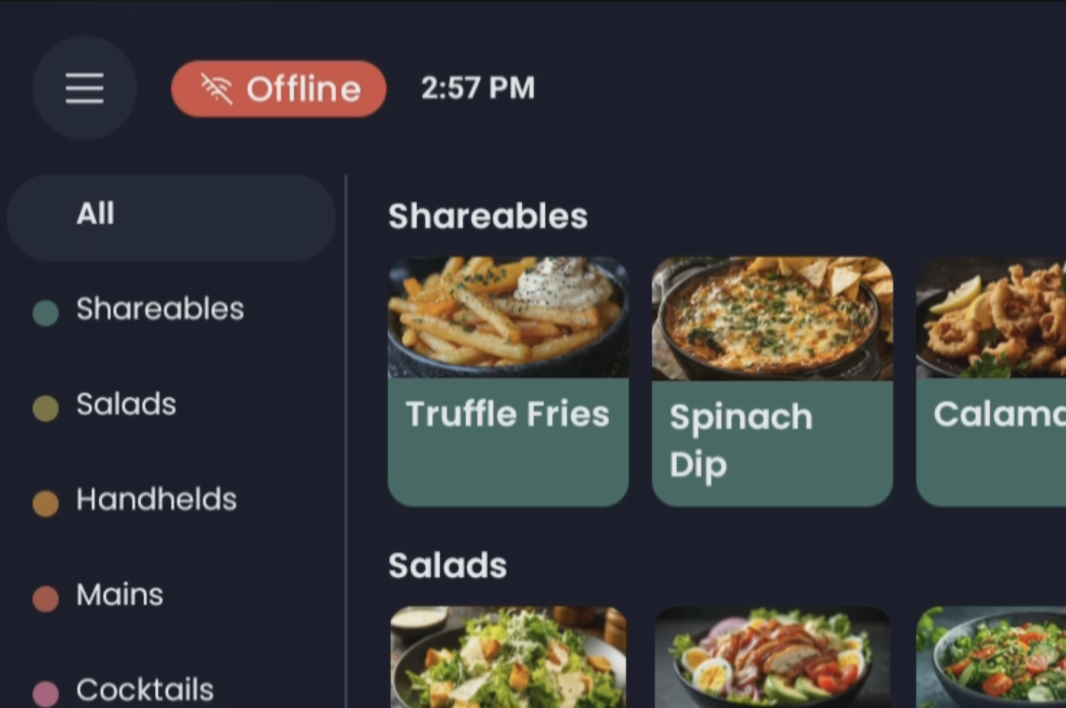
SpotOn POS switches to offline mode automatically the moment your internet connection fails. No manual steps. No staff training required. The status icon turns red and a notification pops up so your team knows what's happening, but everything else keeps moving.
2. Full connectivity across all devices
All stations, terminals, and handheld devices stay connected to each other via your local network. You can even start an order on one device and pick it up from another device — POS station, handheld, both work. Orders keep firing to your kitchen display system and receipt printer. Your team keeps working exactly as they would on a normal shift. Offline sales continue without interruption.
3. Seamless payment syncing
Payment details captured during offline payment sessions are stored locally on your devices. From the first offline payment to the last, all sales data is securely captured and queued. Once your terminal regains connectivity, SpotOn automatically syncs all payments processed during the outage, including offline card payments. You don't have to do anything. The data catches up on its own.
Stress tested with 15,000 guests and 100 POS devices
SpotOn's offline mode wasn't just built in a lab. It's been pressure tested in hard working restaurants and culinary events, including one of the most demanding environments possible.
At Guy Fieri's Flavortown Tailgate — a massive event with 13,000 guests and 100 SpotOn POS devices running simultaneously — SpotOn's Chief Technology Officer, Mark Walz, deliberately cut the data wire to see what would happen.
The result? Tickets kept firing. Payments kept processing. Guests kept getting their food.
As Mark put it: "Tickets are still firing, payments are still functioning, customers are getting their food, everyone is happy."
SpotOn Restaurateur in Residence Scott Youkilis was there first hand — here's his account of what it was like from the operator's perspective.
If SpotOn can handle a parking lot full of 13,000 guests with no internet access, it can handle a dead router on a busy Friday night at your restaurant.
WATCH: No internet, no problem at Guy's Flavortown Tailgate | SpotOn Offline Mode
Accept offline payments: what still works and what doesn't
Key features available offline
Offline mode is powerful, but it's not unlimited. Here's a breakdown of which POS features remain fully available when processing offline payments, and which ones don't.
What works:
- Taking orders on your POS and handhelds
- Processing offline transactions, including the ability to accept payments via credit and debit card
- Offline card payments routed to your payment processor once connectivity resumes
- Firing orders to your kitchen printers and KDS
- Keeping all devices and stations connected to each other via local network
- Tracking sales and storing sales history locally until synced
- Accepting cash payments as normal
What doesn't work:
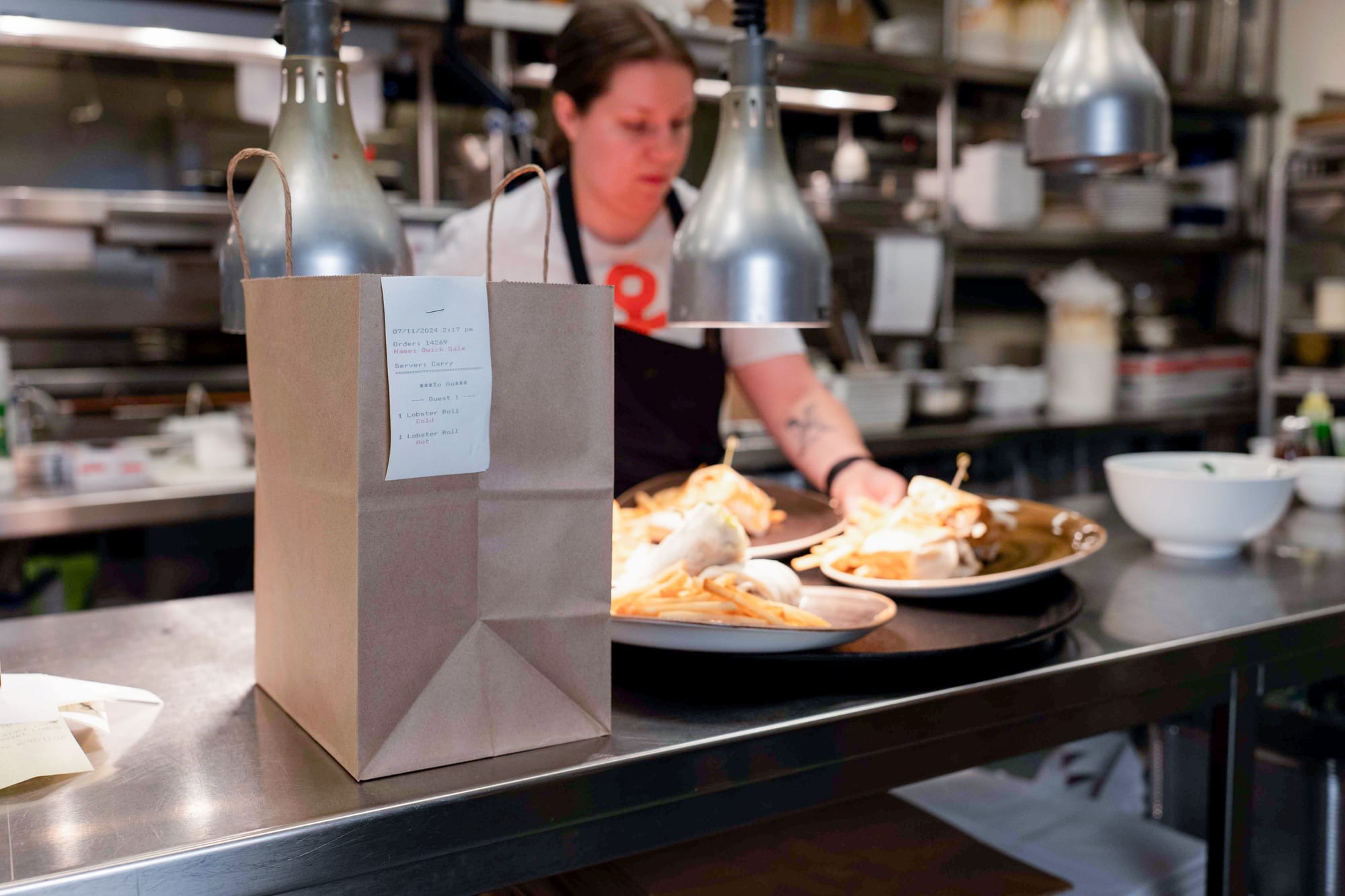
- Online orders: These won't reach your POS or KDS while you're offline. SpotOn recommends pausing online ordering until your connection is restored.
- Phone orders and timekeeping: These features are disabled during an outage. For phone-in pickup orders, you can keep the order open and have the guest pay in person when they arrive.
- Card validation: Since it's impossible to validate cards offline, you won't be paid for orders where a guest uses an invalid card. This is rare, but worth knowing the risk.
- Loyalty programs: Customer data and loyalty program features that require a live connection to your payment gateway won't be available during offline activity.
- Real time analytics: Dashboards and real time analytics that depend on a live data connection will be paused until connectivity is restored, though all sales data syncs automatically once you're back online.
Internet connectivity: best practices during an offline event
When your connection drops, the most important thing is to stay calm and keep operating. Here's how to do that right.
Keep your devices on and don't touch your network settings
Do not turn off your POS, handhelds, or KDS devices, uninstall any SpotOn applications, connect to another network, or clear your cache. Any of those actions could result in you losing your offline order data, including payment details that are securely stored locally, and you won't get paid for those transactions.
Offline mode stores data locally on your devices. As long as you don't disrupt that, everything will sync cleanly once you're back online.
Work on restoring your connection quickly
Offline mode buys you time. Use it to restore your network as fast as possible.
- Make sure your router is plugged in, powered on, and connected to the internet.
- Try a quick router reboot. It resolves a surprising number of issues.
- If the problem isn't your router, contact your internet service provider.
Pause online ordering
Online orders won't route to your kitchen while you're offline, so guests who place them will be waiting for nothing. Pause your online ordering channels until you're back up to avoid confusion, refund requests, and frustrated guests.
Why offline capabilities matter more than most business owners realize
It's easy to dismiss offline capabilities as a nice-to-have — until you've lived through a full-service dinner rush with a dead payment terminal. Then it becomes the feature you wish you'd checked for from the start.
For independent restaurants, the stakes are even higher. You don't have a corporate team to call for support. You don't have a backup system on standby. You have your staff, your guests, and your technology. When one of those fails, it falls on you to fix it.
An offline capable POS removes that single point of failure. It means your system keeps working even when your internet provider doesn't. That's not just a convenience, it's protection for your revenue, your reputation, and your team.
Offline transactions: questions to ask when evaluating a POS
Not all offline modes are created equal. When you're comparing point-of-sale platforms on their ability to accept offline payments and handle offline transactions, here are the questions worth asking:
- Does offline mode activate automatically, or does it require manual steps?
- Do all devices stay connected to each other via local network while offline?
- Can you still accept payments, including offline card payments and manual payments?
- Does transaction processing continue uninterrupted, or does payment processing pause entirely?
- Do orders still fire to the kitchen and receipt printer?
- Is customer data and sales history securely stored during offline activity?
- Does the system sync automatically when your terminal regains connectivity, or is there manual reconciliation?
- Does it support multiple locations?
- Has it been tested at scale in a real-world environment?
SpotOn answers yes to all of the above.
Your technology should never be the bottleneck
SpotOn was built for the reality of running a restaurant. Busy nights, unexpected issues, and internet connections that don't always cooperate.
Our robust offline mode is simple, reliable, and automatic. It switches on the moment your connection fails, keeps every device and station running, and syncs everything back up once you're online again. No panic. No downtime. No lost sales.
Whether you're running a neighborhood cafe or a high-volume event venue, your POS system that works offline and online should keep up with you, not hold you back.
If your current POS can't say the same, it might be time for a change.